Free Online QR Code Generator – Unlimited, Custom, High-Res

- Choose **Generate** to create a QR code, or **Decode** to read one.
- For Generate: paste a URL/text, adjust size, then download PNG.
- For Decode: upload a QR code image (drag & drop is supported) to extract the content.
Help
FAQ
Can I generate a WiFi QR code?ShowHide
Yes. Use the WiFi payload format shown below (WPA/WPA2). Then scan it with your phone camera.
Why does decoding fail?ShowHide
The image may be blurry/too small, the QR code may be partially cut off, or the code may be stylized with low contrast. Try a higher-resolution image.
Does this tool upload my QR code image?ShowHide
No. Decoding happens in your browser.
What size should I choose?ShowHide
For most uses, 256–384px is a good balance. Use 512px if you need a sharper print version.
Can QR codes store sensitive data safely?ShowHide
QR codes are just visible text. Anyone can scan them. Avoid embedding secrets directly; prefer short-lived links or encrypted payloads.
How to generate or decode a QR code
- Choose **Generate** to create a QR code, or **Decode** to read one.
- For Generate: paste a URL/text, adjust size, then download PNG.
- For Decode: upload a QR code image (drag & drop is supported) to extract the content.
Privacy
Full guide
What this QR code tool does
This page supports two workflows:
- Generate: create a QR code from text (URLs, identifiers, short messages).
- Decode: extract text from a QR code image you upload.
QR Code Generation
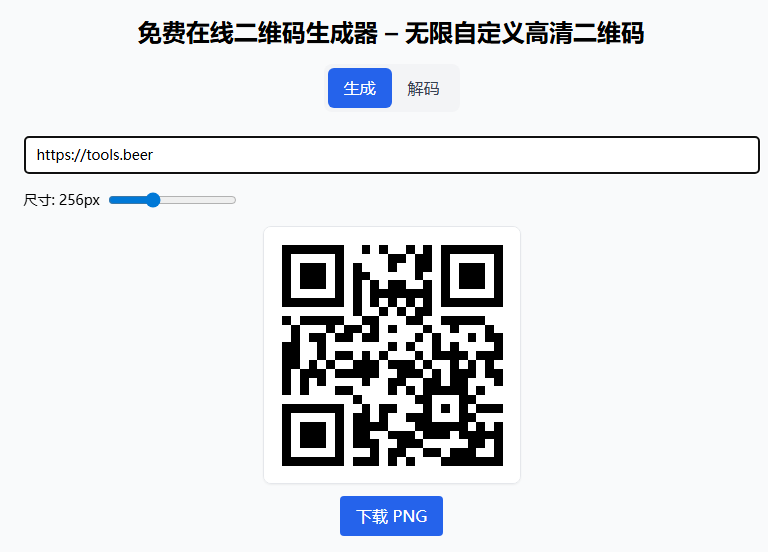
Enter text or URL, adjust size, and download PNG with one click.
QR Code Decoding
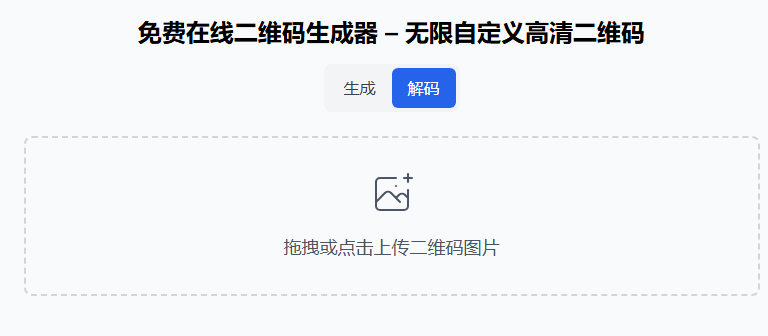
Upload a QR code image to automatically extract its content. Drag & drop supported.
Examples (copy-paste)
1) URL QR code
https://tools.beer/en/code/qrcode
2) WiFi QR code
WIFI:T:WPA;S:MyWiFiName;P:MyPassword;;
Notes:
Tis security type (WPA,WEP, ornopass).Sis SSID.Pis password.
3) vCard (contact) QR code
BEGIN:VCARD
VERSION:3.0
N:Doe;John;;;
FN:John Doe
TEL:+123456789
EMAIL:john@example.com
END:VCARD
Troubleshooting (when scan fails)
- Use a larger / clearer QR image (try generating at 384–512px).
- Avoid low contrast (light gray on white), heavy stylization, or overlaid logos.
- Make sure the whole QR code is visible (not cropped).
- If the QR contains non-UTF8/binary payloads, some scanners may not display them as text.