Text Diff Tool – Online Text Difference Comparison
Original
New
- Paste original text in the left input box, or click "Upload File"
- Paste new text in the right input box
- Diff results appear automatically below
- Green shows added content, red shows removed content
- Switch between "Line-level" and "Character-level" modes
Help
FAQ
What's the difference between line-level and character-level diff?ShowHide
Line-level compares by line, suitable for code version comparison. Character-level compares by character, suitable for precise change detection.
What file formats are supported?ShowHide
All plain text formats including .txt, .json, .yaml, .md, .html, .css, .js, etc.
Is my data uploaded?ShowHide
No. All comparison happens locally in your browser. Nothing is uploaded to any server.
How do I swap left and right content?ShowHide
Click the "Swap" button to swap the content of the left and right input boxes.
Quick Start
- Paste original text in the left input box, or click "Upload File"
- Paste new text in the right input box
- Diff results appear automatically below
- Green shows added content, red shows removed content
- Switch between "Line-level" and "Character-level" modes
Privacy Notice
Full guide
What is Diff?
Diff (difference comparison) is a method to compare differences between two texts, commonly used for:
- Code review: View code changes
- Version comparison: Compare different document versions
- Config comparison: Check configuration file changes
- Data validation: Verify data consistency
Usage Examples
Code Comparison Example
Here's a real-world example showing the differences before and after a function modification:
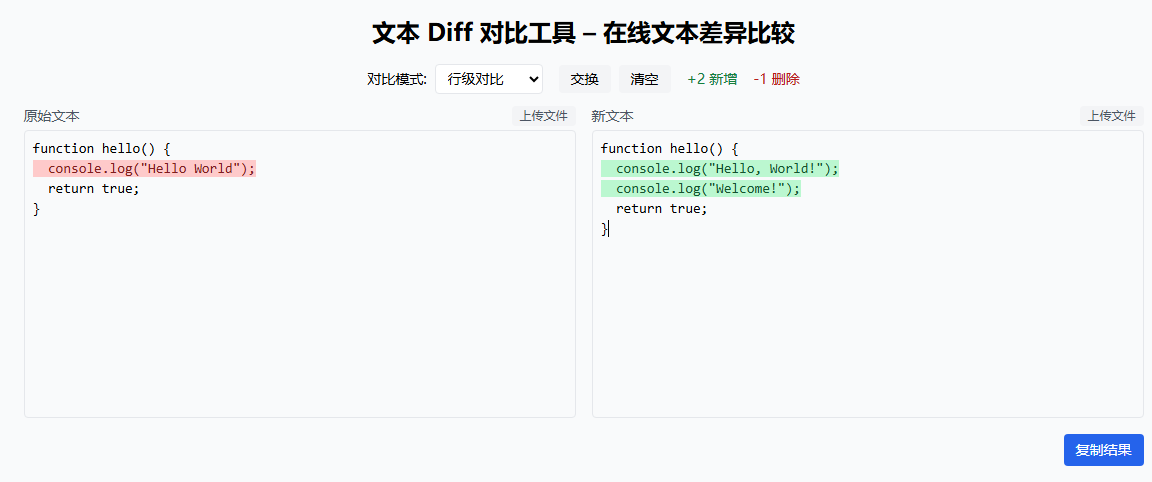
The left panel shows the original code with removed content highlighted in red; the right panel shows the new code with added content highlighted in green.
Character-level Comparison Example
Character-level comparison can precisely locate modification positions:
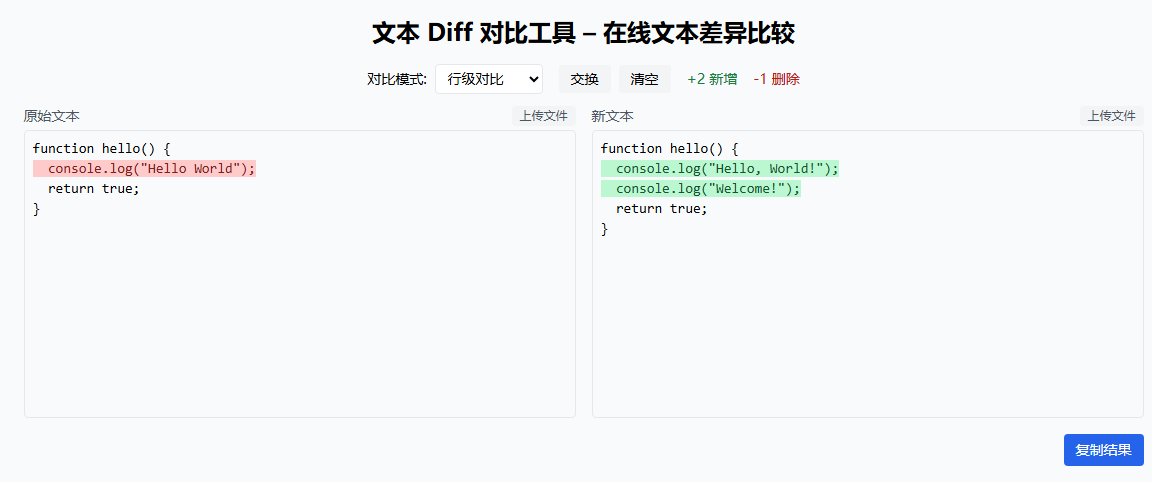
You can see Hello World was changed to Hello, World!, and the new Welcome! line was added.
Comparison Modes
Line-level
Compares by line, suitable for:
- Code version comparison
- Configuration file changes
- Log file differences
Character-level
Compares by character, suitable for:
- Precise change location
- Finding subtle differences
- Short text comparison
Related Tools
- JSON Compare - JSON-specific comparison tool
- JSON Formatter - JSON formatting and minification
- Smart Detect - Auto-detect format