YAML ⇆ JSON Converter – Bidirectional Online Tool
- Select conversion direction: YAML → JSON or JSON → YAML
- Paste content in the left input box, or click "Upload File"
- Result appears automatically on the right
- Click "Copy" or "Download" to save
Help
FAQ
What's the difference between YAML and JSON?ShowHide
YAML has simpler syntax, supports comments and multi-line strings. JSON is stricter, keys must be double-quoted, no comments. YAML is better for config files, JSON for data exchange.
What if conversion fails?ShowHide
Check for syntax errors. Common YAML issues: inconsistent indentation, missing space after colon. Common JSON issues: missing quotes, trailing commas. Error messages indicate the position.
What YAML features are supported?ShowHide
Standard YAML 1.2 features including anchors & aliases, multiple documents, flow styles. Ruby-specific class tags are not supported.
Will formatting be lost?ShowHide
YAML → JSON loses comments and formatting (JSON doesn't support comments). JSON → YAML preserves all data, with adjustable indent.
Is my data uploaded?ShowHide
No. All conversion happens locally in your browser. Nothing is uploaded to any server.
Quick Start
- Select conversion direction: YAML → JSON or JSON → YAML
- Paste content in the left input box, or click "Upload File"
- Result appears automatically on the right
- Click "Copy" or "Download" to save
Privacy Notice
Full guide
YAML ⇆ JSON Converter
What is YAML?
YAML (YAML Ain't Markup Language) is a human-readable data serialization format, commonly used for:
- Configuration files: Kubernetes, Docker Compose, GitHub Actions
- Data exchange: API request bodies, database import/export
- Documentation: Supports comments, multi-line strings
YAML vs JSON Comparison
| Feature | YAML | JSON |
|---|---|---|
| Comments | ✅ Supported | ❌ Not supported |
| Multi-line strings | ✅ Supported | ❌ Needs escaping |
| Key quotes | Optional | Required double quotes |
| Indentation | Strict requirement | No requirement |
| Parse speed | Slower | Faster |
Usage Examples
YAML → JSON Conversion
Convert YAML configuration files to JSON format:
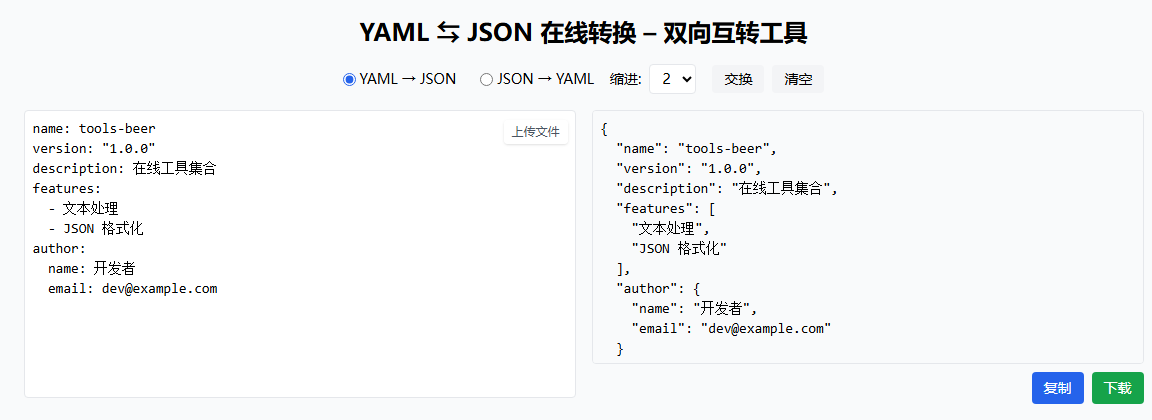
Enter YAML content on the left, formatted JSON is generated automatically on the right.
JSON → YAML Conversion
Convert JSON data to readable YAML configuration:
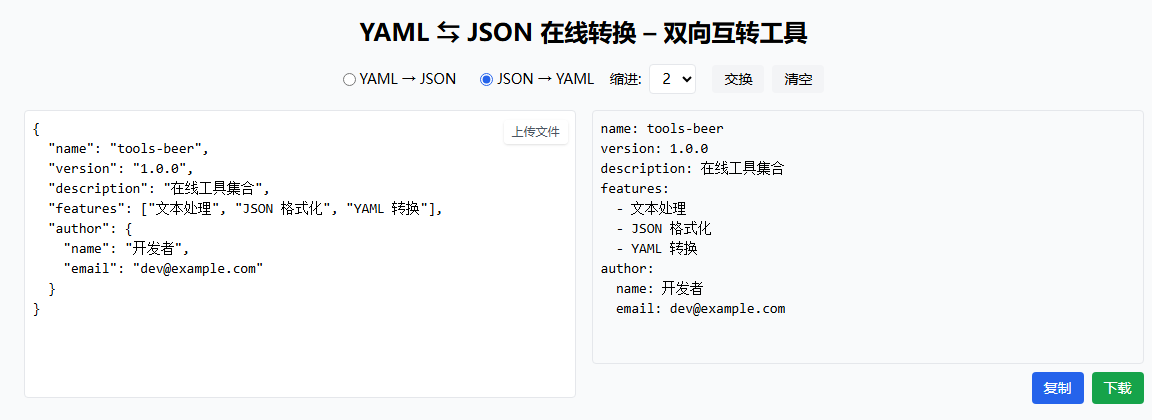
Supports custom indentation (2/4/8 spaces) for easier editing and maintenance.
Use Cases
YAML → JSON
- Convert Kubernetes configs to API request bodies
- Convert Docker Compose configs to JSON format
- Import YAML configs into JSON-based systems
JSON → YAML
- Convert API responses to readable config files
- Convert JSON configs to YAML for easier editing
- Generate GitHub Actions and other config files
Related Tools
- JSON Formatter - JSON formatting and minification
- JSON Compare - JSON diff comparison
- Smart Detect - Auto-detect format