CSV Splitter – Split CSV File into Multiple Files Online
Upload .csv file
or drag and drop
Split mode
No data yet
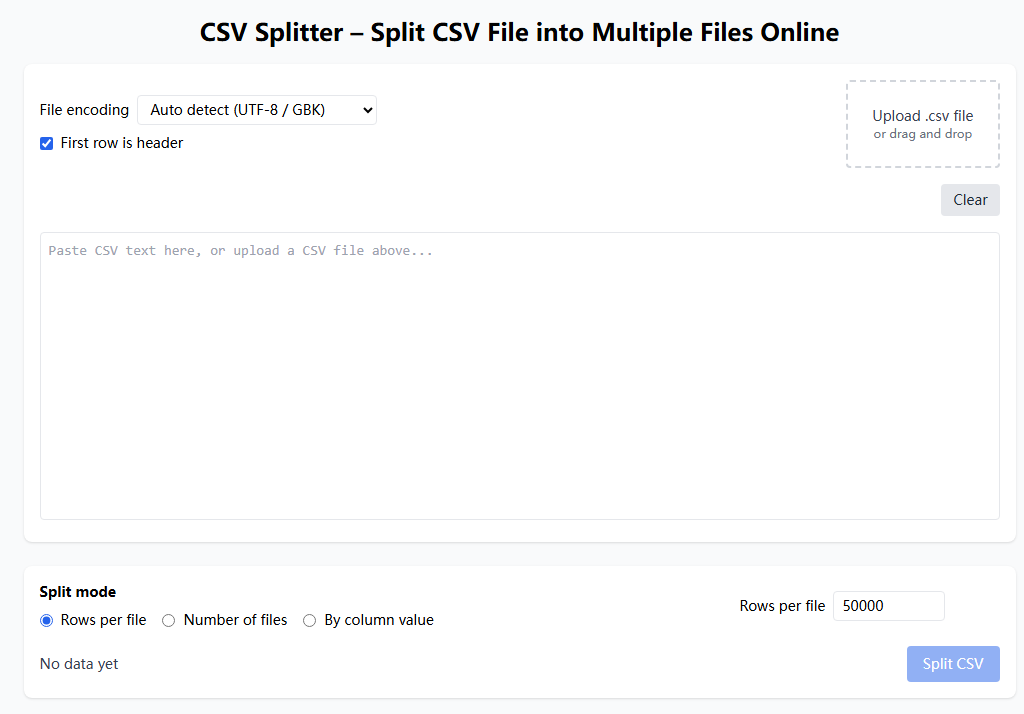
- Upload a CSV file by dragging it into the drop area or clicking to choose it, or paste CSV text into the editor.
- Choose a split mode: fixed rows per file, target number of files, or split by column value.
- Adjust parameters such as rows per file or number of files. For column split, select the column to group by.
- Click the split button and download each generated CSV part. The header row is kept in every part when you mark the first row as header.
Help
FAQ
Can this CSV splitter handle large CSV files?ShowHide
It can handle reasonably large CSV files, but it still runs inside your browser, so very large files are limited by memory and CPU. If splitting feels slow, try splitting the CSV in several passes or reducing rows per file.
Will each split CSV file keep the header row?ShowHide
If you check the option that the first row is header, the tool keeps the header row in every split CSV file so that each part can be opened independently.
How does split by column value work?ShowHide
You pick a column and the tool groups rows by that column value. Each distinct value becomes one CSV file containing the header row and matching rows.
Is my CSV uploaded or stored anywhere?ShowHide
No. The CSV splitter runs fully in your browser. Files are processed in memory and never uploaded or stored on a server.
How to split a CSV file into multiple files online
- Upload a CSV file by dragging it into the drop area or clicking to choose it, or paste CSV text into the editor.
- Choose a split mode: fixed rows per file, target number of files, or split by column value.
- Adjust parameters such as rows per file or number of files. For column split, select the column to group by.
- Click the split button and download each generated CSV part. The header row is kept in every part when you mark the first row as header.
Privacy
Full guide
CSV Splitter supports three split modes:
- Split by rows per file: Specify how many rows each file should contain, and the tool will calculate how many files to generate.
- Split by number of files: Specify how many files you want, and the tool will calculate rows per file.
- Split by column value: Select a column, and the tool will group data into different files based on distinct values in that column.
All processing happens locally in your browser - no data is ever uploaded to any server.
Usage Example
Real-World Cases
Case: Split Large Sales Data CSV File
Original file: sales_2024.csv (100,000 rows, containing order data)
Requirement: Split the large file into smaller files, 20,000 rows each
Steps:
- Upload
sales_2024.csvfile - Check "First row is header"
- Select "Rows per file" mode
- Set rows to 20,000
- Click "Split CSV" button
Result:
| Filename | Rows |
|---|---|
| sales_2024_part-1.csv | 20,000 |
| sales_2024_part-2.csv | 20,000 |
| sales_2024_part-3.csv | 20,000 |
| sales_2024_part-4.csv | 20,000 |
| sales_2024_part-5.csv | 20,000 |
Each file retains the header row and can be opened independently.
Case: Split Customer Data by Region
Original file: customers.csv (contains region column with values: "North America", "Europe", "Asia")
Requirement: Split customer data into different files by region
Steps:
- Upload
customers.csvfile - Check "First row is header"
- Select "Split by column value" mode
- Select
regioncolumn - Click "Split CSV" button
Result:
| Filename | Description |
|---|---|
| customers_North_America.csv | North America customers |
| customers_Europe.csv | Europe customers |
| customers_Asia.csv | Asia customers |