JSON Parse / Formatter
Drag file here, or click to select file
{hello: "world"}JSON 转义/反转义
JSONPath 查询
支持 JSONPath 语法,如 $.store.book[0].title 或 $[0].name
Help
Full guide
What Can This Tool Do?
This tool provides comprehensive JSON processing features:
- Format/Beautify: Convert compressed JSON to readable indented format
- Syntax Validation: Automatically detect JSON syntax errors and indicate positions
- Tree View: Visualize JSON structure with expand/collapse support
- Escape/Unescape: Handle special characters in JSON strings
- Minify/Compress: Remove whitespace to reduce JSON size
Tree View
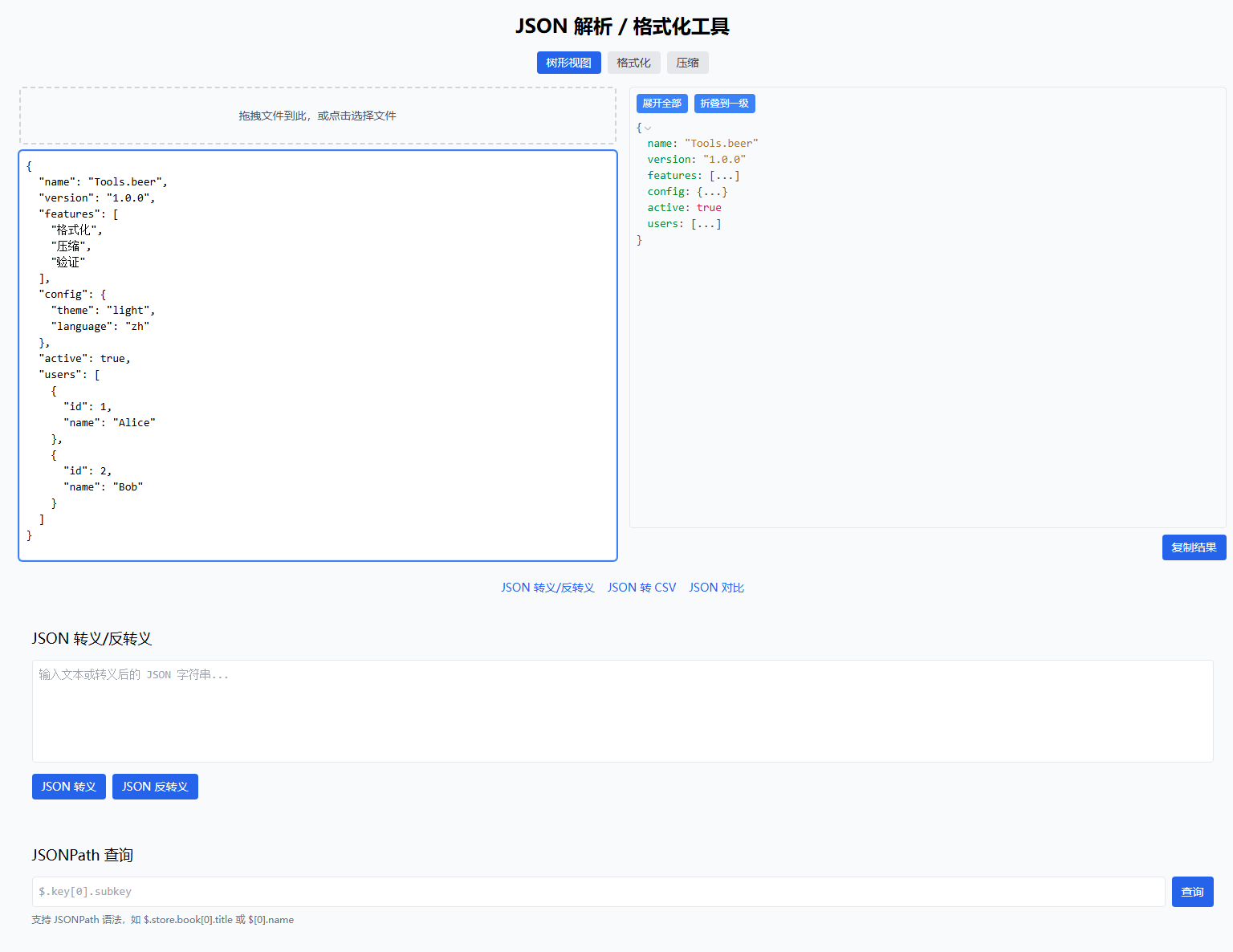
The right panel shows a collapsible JSON tree structure for browsing complex data.
Format View
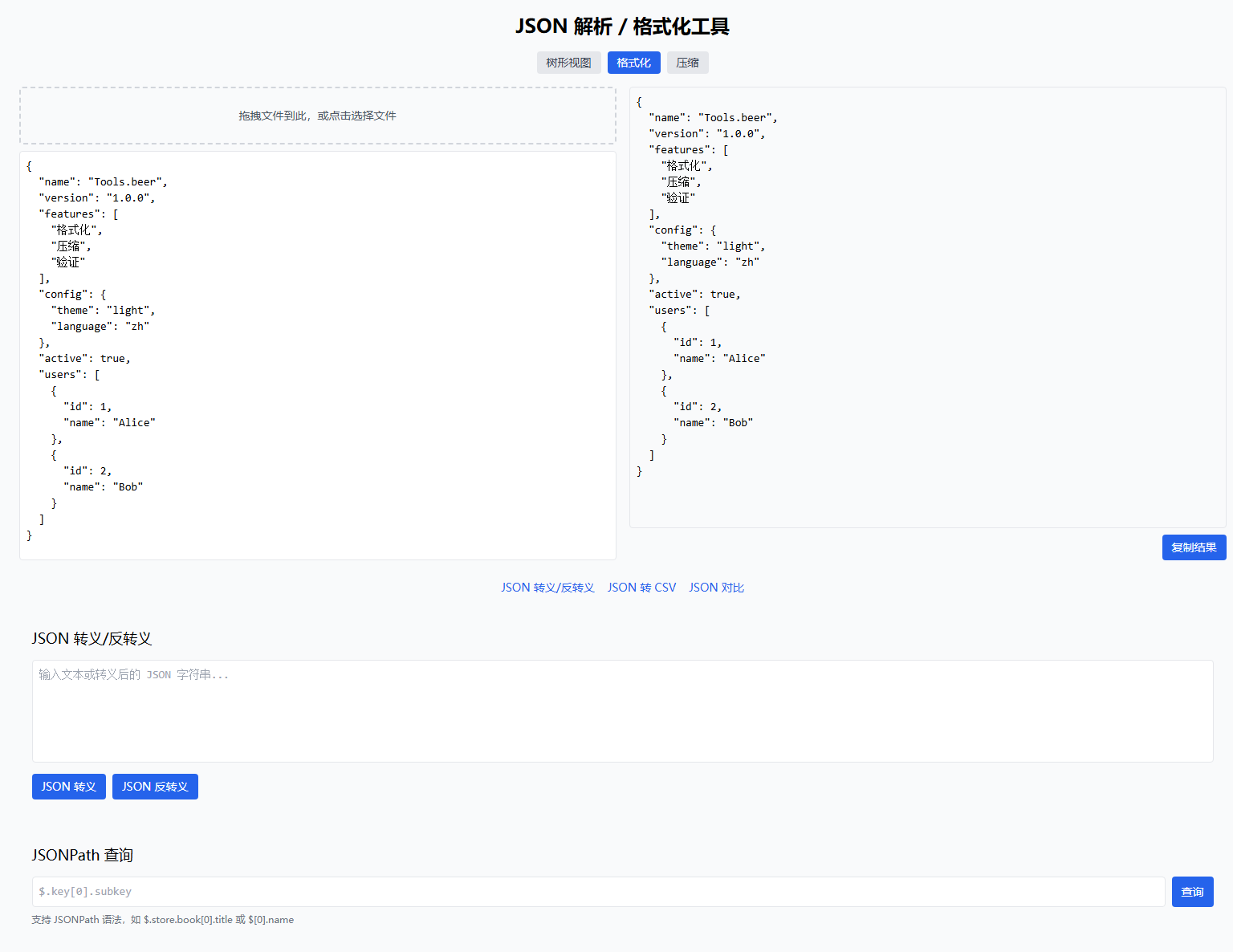
Automatically format compressed JSON into readable indented format.
Error Detection
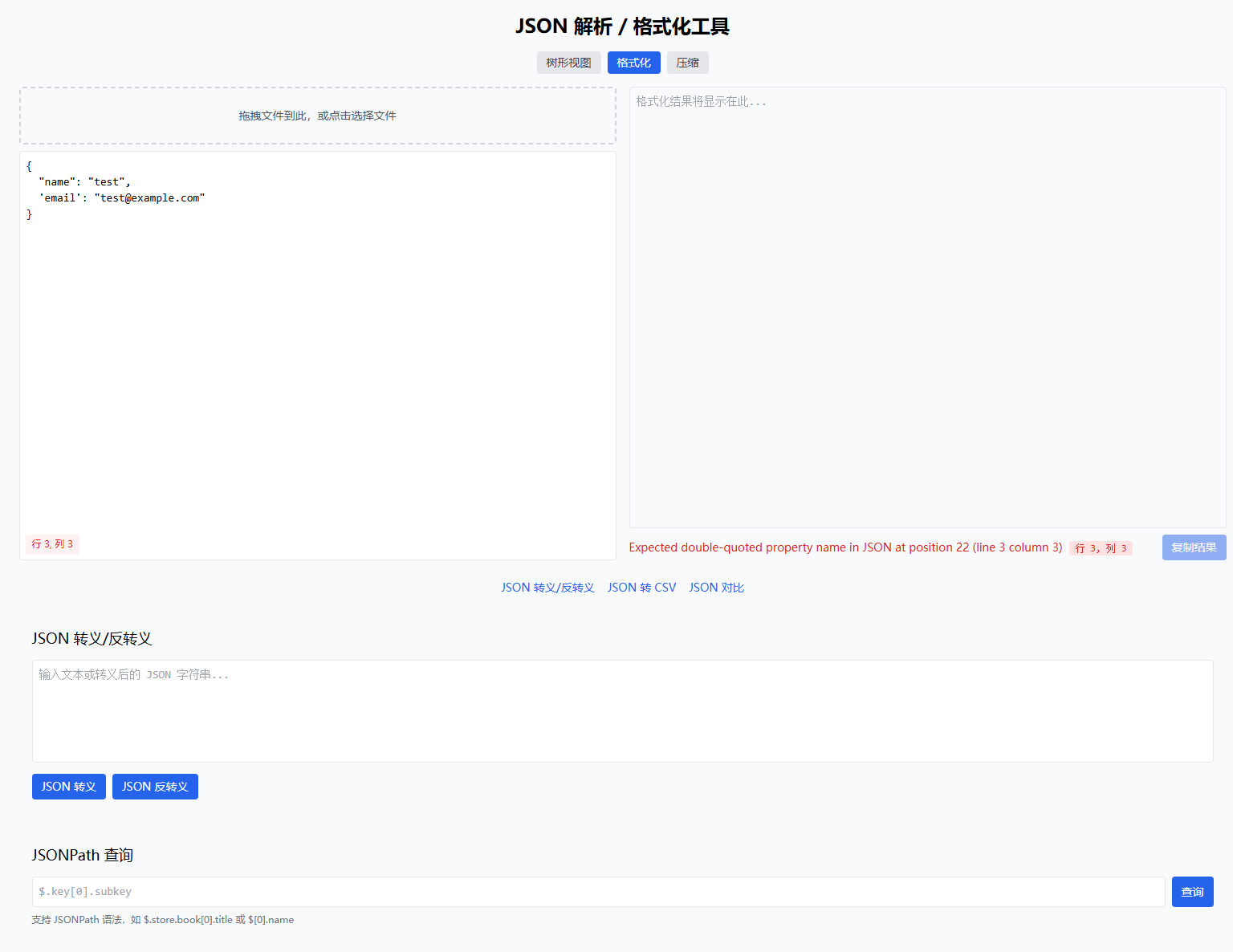
When JSON has syntax errors, the tool shows the exact location (line, column) for quick debugging.
Why Use JSON Formatting?
JSON formatting is useful in these scenarios:
- Debugging API Responses: Server JSON is usually compressed; formatting makes it readable
- Config File Editing: JSON config files need proper indentation for maintenance
- Data Inspection: Quickly locate JSON structure issues and syntax errors
- Code Development: Rapidly validate JSON data structures during development
JSON Syntax Rules
Valid JSON must follow these rules:
| Rule | Correct Example | Wrong Example |
|---|---|---|
| Keys must use double quotes | {"name": "John"} | {name: "John"} |
| Strings use double quotes | "Hello" | 'Hello' |
| Numbers without quotes | {"age": 25} | {"age": "25"} |
| Booleans are lowercase | {"active": true} | {"active": True} |
| No trailing commas | {"a": 1, "b": 2} | {"a": 1, "b": 2,} |
Common JSON Errors and Solutions
1. Using Single Quotes
// ❌ Wrong
{'name': 'John'}

// ✅ Correct
{"name": "John"}
2. Keys Without Quotes
// ❌ Wrong
{name: "John"}

// ✅ Correct
{"name": "John"}
3. Extra Trailing Comma
// ❌ Wrong
{
  "items": [1, 2, 3,],
  "count": 3,
}

// ✅ Correct
{
  "items": [1, 2, 3],
  "count": 3
}
4. Comments Not Supported
// ❌ JSON doesn't support comments
{
  "name": "John" // username
}

// ✅ Use JSONC or remove comments
{
  "name": "John"
}
JSON Escape Character Reference
| Escape Sequence | Meaning | Unicode |
|---|---|---|
\" | Double quote | U+0022 |
\\ | Backslash | U+005C |
\/ | Forward slash | U+002F |
\n | Newline | U+000A |
\r | Carriage return | U+000D |
\t | Tab | U+0009 |
\uXXXX | Unicode character | U+XXXX |
Usage Tips
Quick Error Location
When JSON formatting fails, the error message points to the problem location. Common error messages:
Unexpected token- Syntax error, check quotes and commasExpected property name- Key format errorUnexpected end of JSON- Incomplete JSON, check bracket matching
Large File Handling Tips
- For JSON over 500KB, use file upload instead of paste
- JSON over 1MB may cause browser lag
- Use minify function to reduce size before processing
Related Tools
- JSON Escape/Unescape - Dedicated JSON string escape handling
- JSON to CSV - Convert JSON data to tables
- JSON Compare - Compare differences between two JSON files