CSV to JSON Converter – Convert CSV Files to JSON Online
Drag file here, or click to select file
JSON Preview
Output format
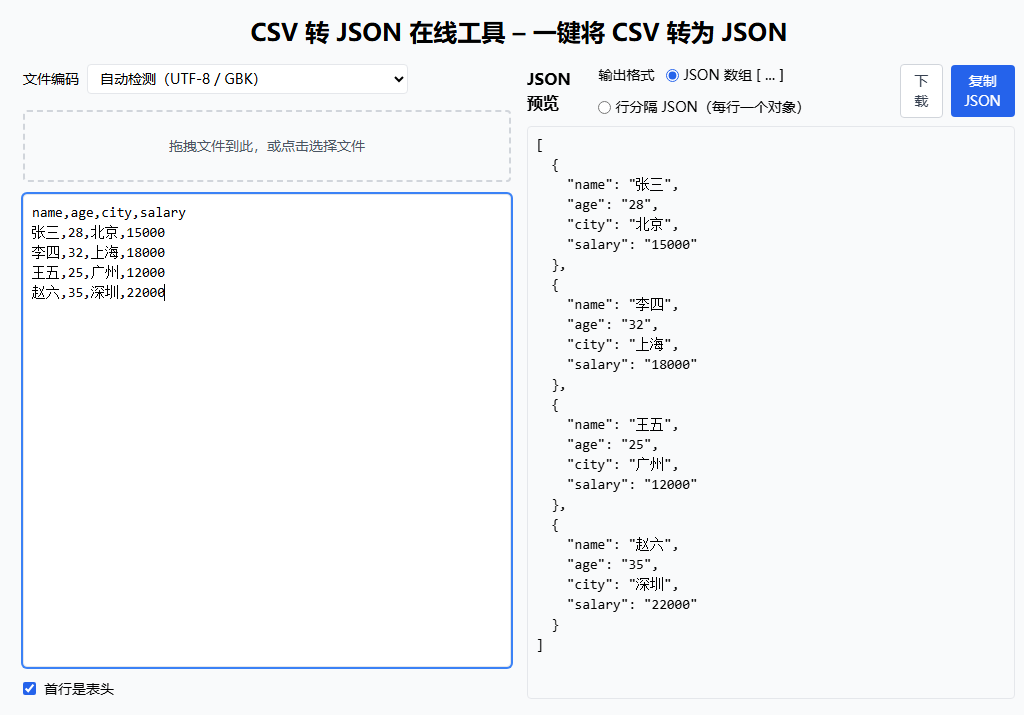
- Paste CSV text into the left text area, or upload a CSV file using the drop area.
- Choose whether the first row is the header row (column names).
- The tool converts each row into a JSON object and shows a pretty-printed JSON array on the right.
Help
FAQ
How is the header row handled?ShowHide
If "First row is header" is enabled, the first row of the CSV is used as field names and the remaining rows become JSON objects. If disabled, generic column names like col1, col2 are used.
What JSON format is generated?ShowHide
The tool outputs a JSON array. Each CSV row becomes one JSON object with key-value pairs for each column.
Is my CSV uploaded?ShowHide
No. Parsing and conversion run entirely in your browser. Data is never sent to a server.
How to use the CSV to JSON converter
- Paste CSV text into the left text area, or upload a CSV file using the drop area.
- Choose whether the first row is the header row (column names).
- The tool converts each row into a JSON object and shows a pretty-printed JSON array on the right.
Privacy
Full guide
CSV to JSON converter transforms CSV files into JSON format for easy data processing and API integration.
Usage Example
Features
- Multiple input methods: Paste text or upload CSV files
- Encoding support: Auto-detect UTF-8 / GBK encoding, resolves Chinese character issues
- Flexible output: JSON array format or JSON Lines format
- Header handling: Use first row as field names or auto-generate column names
Use Cases
Data Migration
Convert Excel-exported CSV to JSON for database or NoSQL storage import.
API Development
Quickly generate test data, convert CSV test cases to JSON for API consumption.
Data Analysis
Work with Pandas, DuckDB, and other tools to transform CSV data into more manageable JSON format.